Make Passive Income Selling Book Online: No Writing Required

Make Passive Income Selling Books Online: No Writing Required
You can create and sell a low-content book from anywhere, and no, you do not need to sit down and write a whole novel to do it. We are talking about journals, notebooks, prayer journals, dream journals, gratitude journals, manifestation journals, and more.
These books can be simple on the inside, but that does not mean the process should be careless. Making the book is the easy part. The part that really matters is putting a product together that people are already searching for, then giving it the right title, keywords, categories, and price so it can actually be found on Amazon.
What You'll Learn
- Low-content books include journals, notebooks, trackers, and other buyer-filled formats.
- Researching titles, keywords, prices, and categories helps products reach relevant Amazon searches.
- Book Bolt templates can create a structured journal interior without writing traditional book content.
- KDP previews, printing costs, and royalty calculations should be checked before publication.
Table of Contents
- What Is a Low-Content Book?
- Start With Research, Not Just a Cute Cover
- Create a Journal Cover in Book Bolt
- Build the Interior Pages Without Writing a Book
- Set Up Amazon KDP and Get Paid
- Write a Listing That Helps People Find Your Book
- Upload, Preview, and Price Your Paperback
- Reviews, Variations, and the Work Behind the Income
What Is a Low-Content Book?
A low-content book is exactly what it sounds like: a book with little or no traditional written content. Think lined notebooks, blank journals, planners, composition books, trackers, and guided pages that people fill out themselves.
The opportunity is not about throwing random blank pages together and hoping somebody buys them. The opportunity is in creating something useful for a particular person or purpose. A prayer journal, for example, gives someone a designated place to write prayers, reflect, and track answered prayers. That is much more intentional than a plain notebook with no direction.
Popular ideas include:
- Prayer journals
- Dream journals
- Gratitude journals
- Manifestation journals
- Meditation journals
- Seasonal journals, including back-to-school notebooks
- Regular lined notebooks and composition-style books
Some niches sell year-round, while others work best during a particular season. Back-to-school products make sense when school is about to start. A prayer journal can have steady relevance throughout the year. The key is understanding what people may be searching for right now.
Start With Research, Not Just a Cute Cover
Y'all, this is where many people miss it. A pretty cover is nice, but it cannot do all the work by itself. If the title and keywords do not match what people are typing into Amazon, the book may never get in front of the right customer.
Before creating anything, look at what is already selling in the niche you are considering. Book Bolt has research features that help identify top-selling books, estimated sales activity, pricing, titles, and keywords connected to a topic.
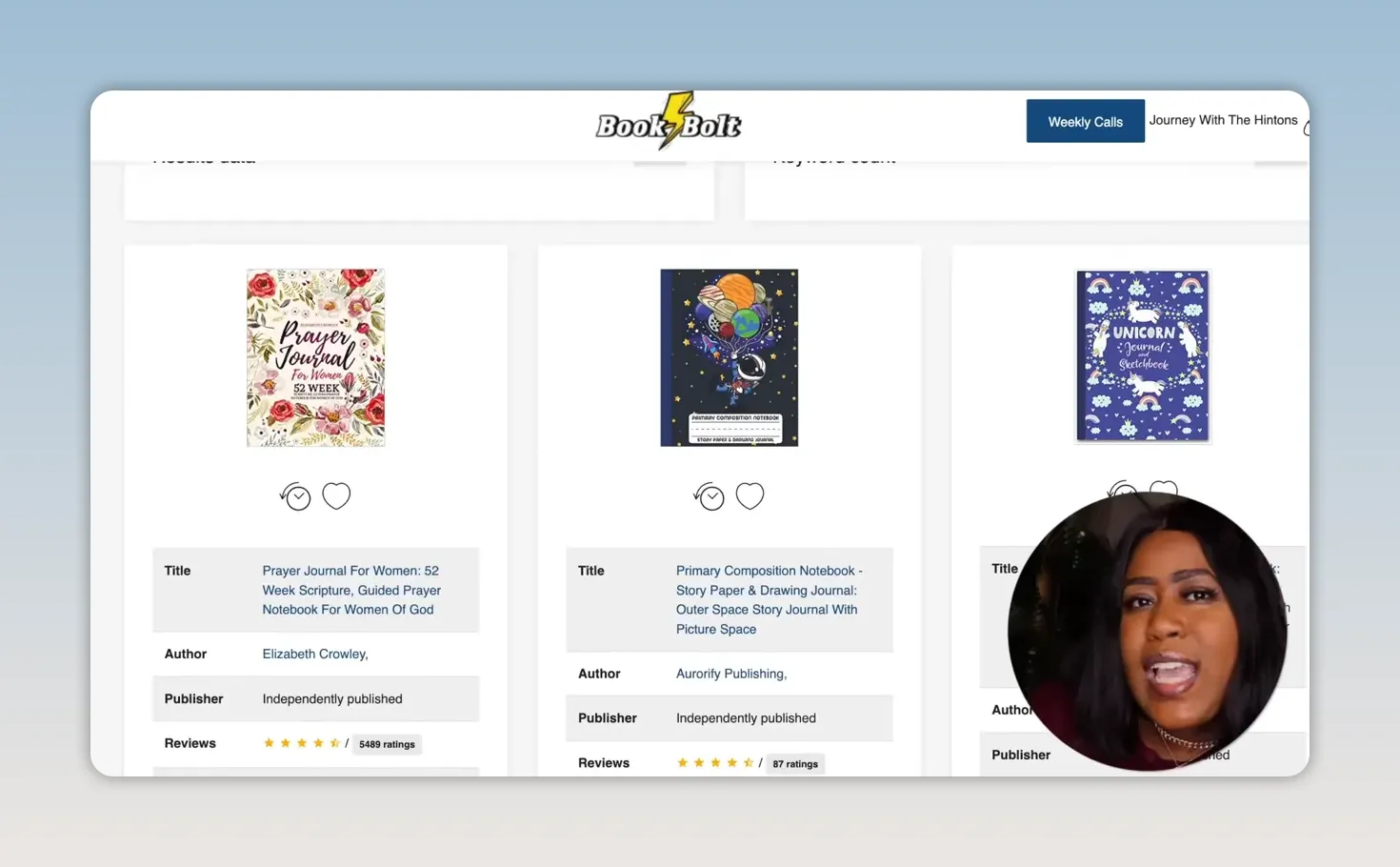
For a prayer journal, search a phrase such as prayer journal and study the results. Pay attention to the wording used in high-performing listings. In this example, a top result used a title similar to “Prayer Journal for Women,” along with a descriptive subtitle.
That does not mean copying another person’s book or description. It means recognizing the language customers use when looking for this type of product. Your book still needs its own cover, interior, positioning, and honest description.
Look for These Details When Researching
- Titles: Notice the specific phrases used in successful listings.
- Subtitles: See how the book’s use and audience are described.
- Monthly sales estimates: Use them as one signal of demand.
- Pricing: Check the price range for comparable products.
- Categories: Look for relevant categories where competition may be less crowded.
- Cover styles: Study the overall positioning, not just one design.
You want to create a book that belongs in the market without being a carbon copy of everything else already there.
Create a Journal Cover in Book Bolt
For this example, the project is a paperback journal sized at 6 by 9 inches with a black-and-white interior and 100 pages. That page count is just one option. You can choose 80 pages, 120 pages, or another count that makes sense for the type of journal you are creating.
Inside Book Bolt Studio, choose the type of project first. You can select paperback or hardcover. For a paperback journal, select the trim size, set the page count, and decide whether the design should bleed to the edge of the page.
Once the project opens, the left side is the back cover and the right side is the front cover. You can hide the KDP cover template while designing if it gets in the way, then bring your focus to the front.
For the cover artwork, you can upload an image you own or search Pixabay from within the tool. Be careful with images downloaded randomly from the internet. Using images you have rights to use matters. For this design, a colorful landscape image creates a peaceful, faith-centered mood.
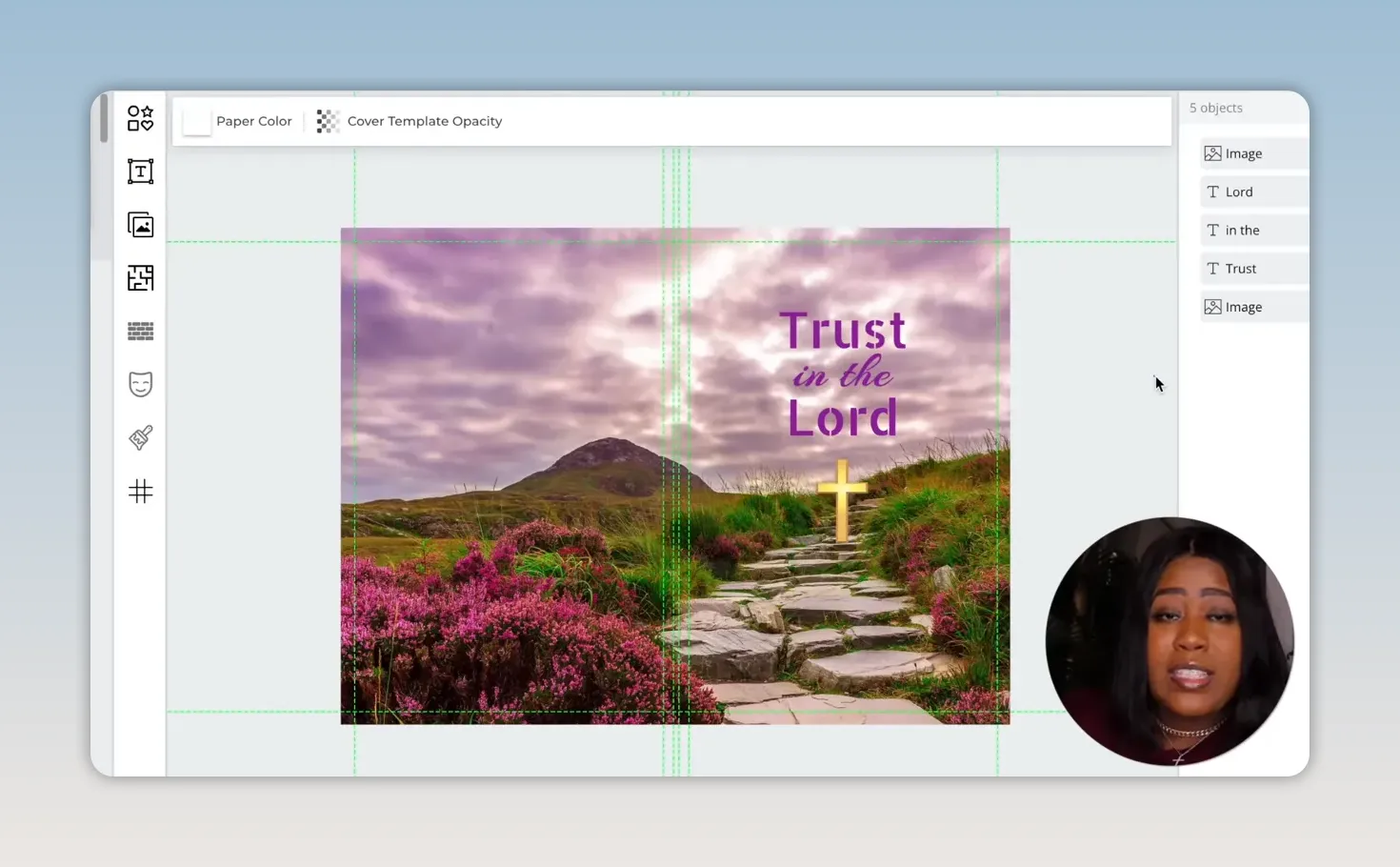
Stretch the image across the full cover area so there are no accidental white gaps. Then add your title. In this example, the cover reads “Trust in the Lord,” with different fonts and sizes used to give the words some personality.
Play with your fonts, placement, and colors until the design feels right. A purple shade ties into the landscape, and a simple cross adds a final faith-based touch without making the cover too busy. Sometimes less is more. Do not feel like you have to add every shape, sticker, and decoration available.
Build the Interior Pages Without Writing a Book
This is the part that makes low-content publishing beginner-friendly. Book Bolt includes interior templates for many types of books, including journals, trackers, puzzles, activity books, and more.
For a prayer journal, the interior can be structured in two parts:
- The first five pages are a prayer list.
- The remaining pages are prayer journal pages.
The prayer-list template gives space to write a prayer on one side and note whether it has been answered on the other. That makes the journal more purposeful and gives the buyer a reason to choose it over a generic notebook.
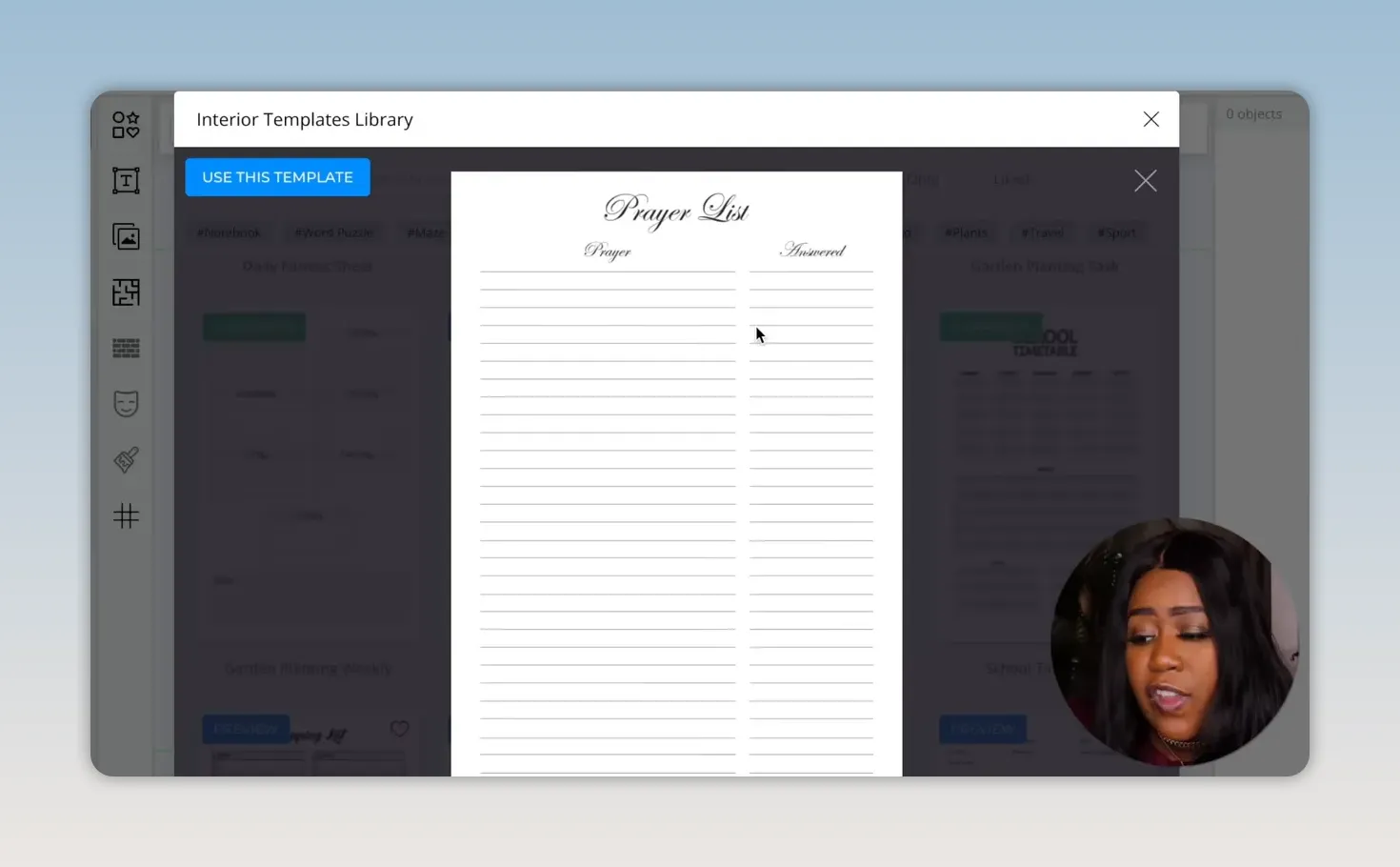
When adding a template, choose exactly which pages should receive it. Select the first five pages for the prayer list. Then move to page six, select the prayer journal template, choose all pages, and deselect the beginning pages already assigned to the prayer-list layout. Ain't nobody got time to click every single page one by one if the tool gives you a smarter way.
Once your cover and interior are complete, download the project as RGB. The download produces two PDF files:
- Your complete cover file
- Your interior manuscript file
Those are the files needed for Amazon Kindle Direct Publishing.
|
Set Up Amazon KDP and Get Paid
Amazon KDP is where the book gets uploaded and made available for sale. Creating an account is free, but you do need to enter tax and payment information.
Payment options can include direct deposit, wire transfer, or check depending on what is available for your account and location. Direct deposit is the recommended option. Amazon pays monthly, with payments beginning 60 days after the end of the month in which sales were made.
From the KDP dashboard, choose Create and select Paperback. Then enter your book details, including the title, subtitle, author name, description, keywords, categories, and content settings.
When completing the publishing rights section, select the option confirming that you own the rights to the material. Only publish work and images you have permission to use.
Write a Listing That Helps People Find Your Book
Your Amazon title needs to be clear. For this example, “Prayer Journal for Women” directly tells Amazon and potential customers what the book is. The subtitle can add more context, such as “Prayer Notebook for Women of God.”
The description should explain what is inside. Keep it honest and focused on benefits. Mention practical features like the trim size, writing space, prayer lists, prayer notes, and space for key verses if those are truly included in the book.
Amazon allows seven keyword fields. This is your chance to use related search phrases beyond the exact title. A shopper may search “journal of prayer” instead of “prayer journal for women,” so relevant keyword variations can help connect the product to more searches.
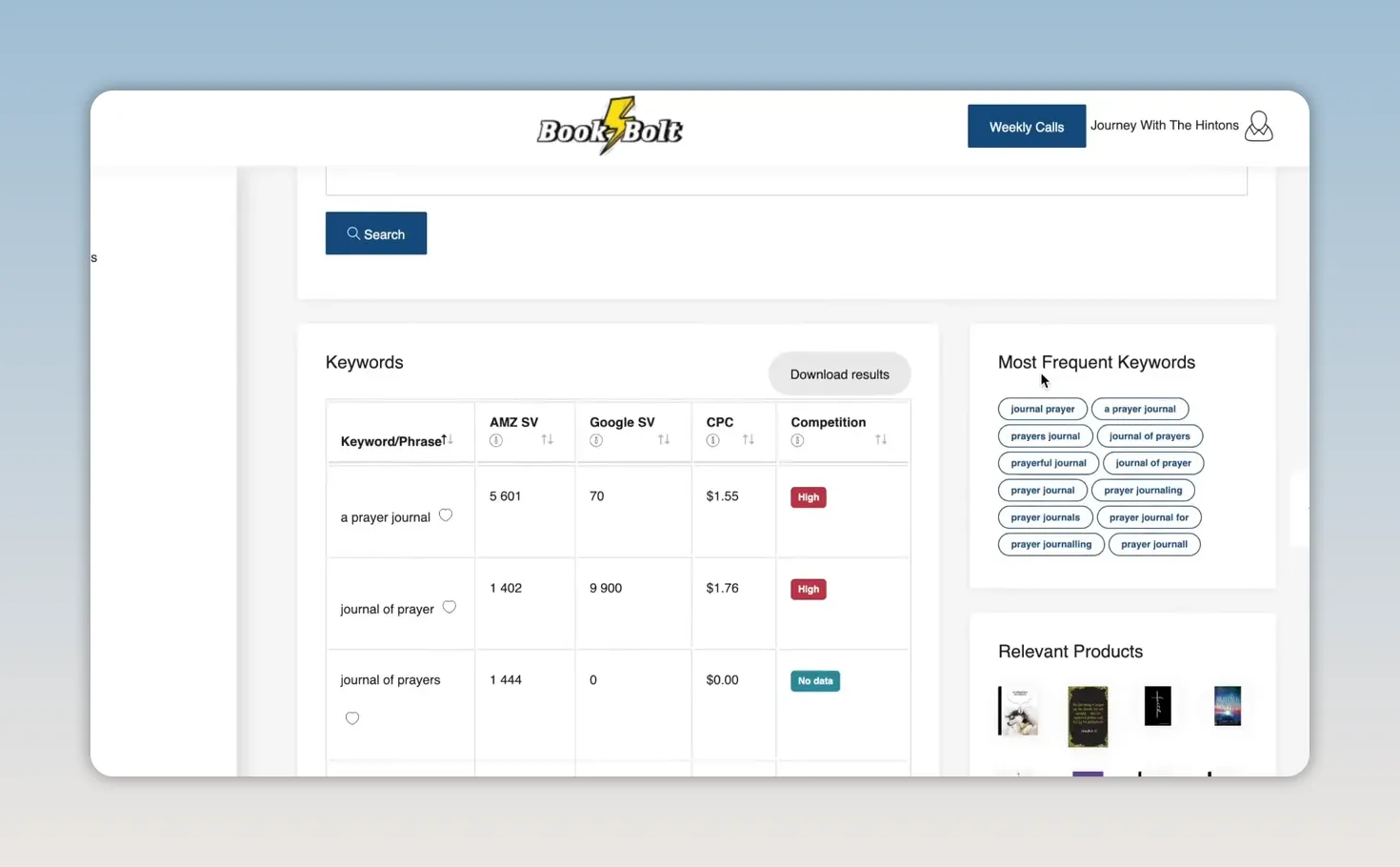
Book Bolt’s keyword tool displays associated terms and search-volume information for Amazon and Google. Focus on phrases with stronger search activity, but do not stuff in unrelated words just because they appear popular. Every keyword should describe your actual product.
Categories matter too. One strategy is to choose relevant categories that are not as crowded as the biggest categories. If your book begins ranking in a less competitive category, it may have a better chance of appearing higher when customers search in that space.
Upload, Preview, and Price Your Paperback
For the manuscript upload, use the interior PDF. For the cover upload, use the separate cover PDF. KDP gives you a preview tool so you can inspect the finished book before publishing.
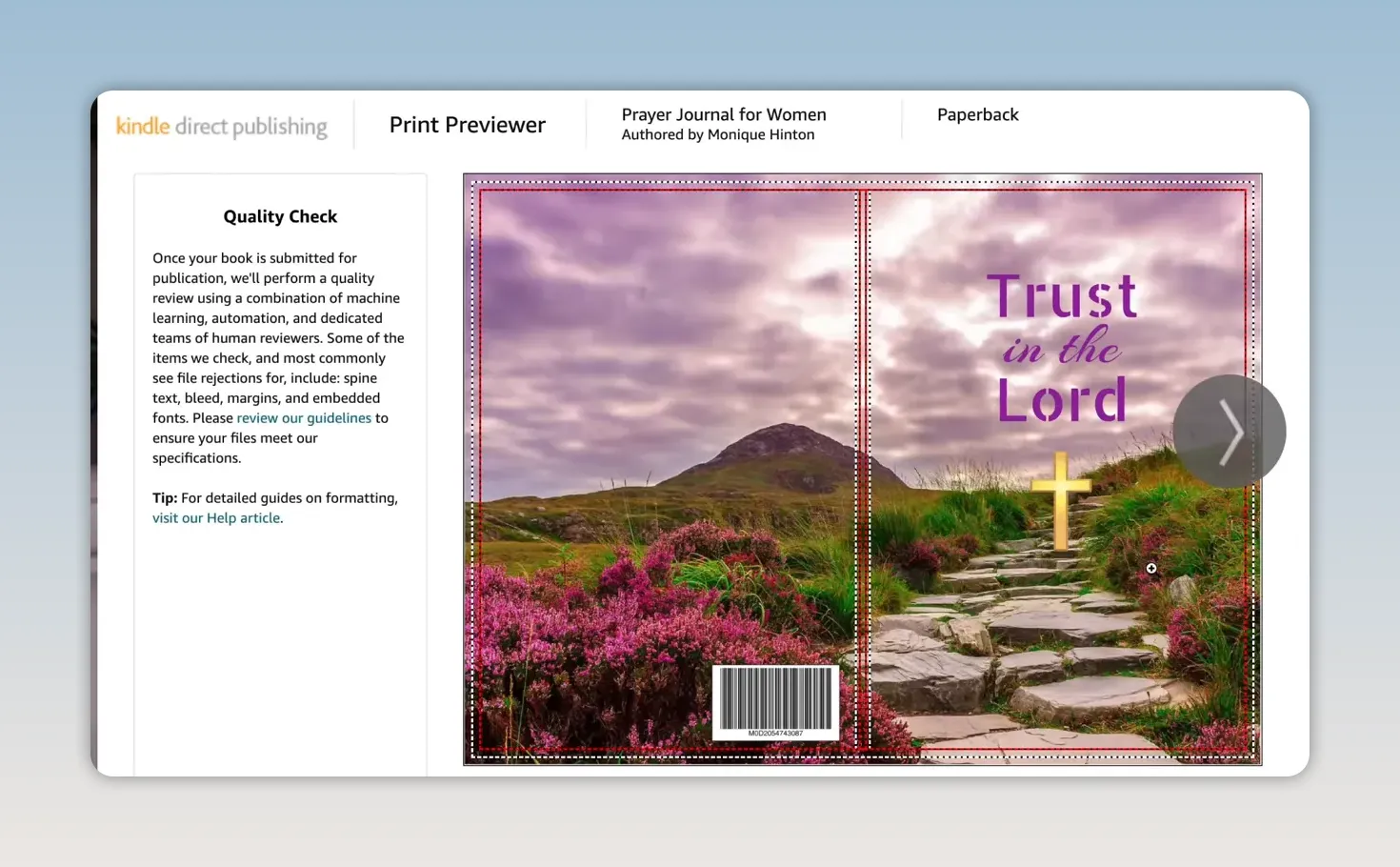
Do not skip that preview. Check that the text is not too close to edges, the cover lines up correctly, and interior pages display as intended. Fix issues before you publish, not after somebody has bought the book.
When it is time to price the paperback, look at similar books in your niche. You want to stay in a reasonable range based on what customers already pay for comparable journals. Being strategic can matter more than simply setting the lowest price.
In the example, the book is priced at $7.99. KDP shows the printing cost and royalty calculation before publication. With a printing cost of $2.15 and the selected royalty rate, the estimated royalty comes to $2.64 per sale. Your numbers may be dif


Comments
Post a Comment